When an Auditor logs into the
Fuel Tax System, the first page that is presented is their assignments in the Audit Queue. This is also the page the system will display
to the auditor if the FTS Home
link is clicked at the top of the page in the link bar.
The Audit Queue contains a listing of all
transactions that have been flagged in the system for action by the logged-in
Auditor, and will display some basic company information, and notes about the
assignment from the Auditor Supervisor.
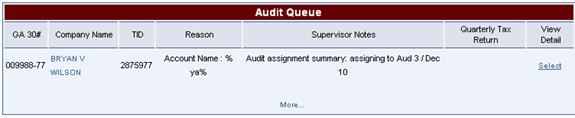
To open the full Audit Queue to review or process audit
information, click the More… link at
the bottom of the pane.