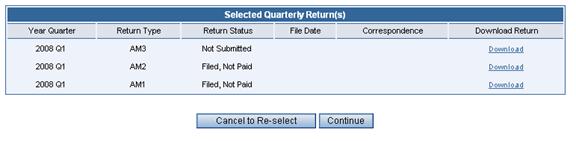
Audit Selected Quarterly Returns Page
Selecting Returns for Audit Download
The Filing History Page allows selection of multiple returns for audit processing, viewing of correspondence and return information.
¨ Click on the underlined Download link under Download Return download the data for the audit system. A Windows dialog box will open to ask where the file should be saved.
¨ Press the Continue button to begin the download(s) of the data in .CSV format
¨ Press the Cancel to Re-select button to return to the previous page to select different returns.