Enter Decal Shipment
On the Transaction ID page, enter the transaction number the decals are being shipped to fulfill. Press the Search button.

The result is the Decal Shipping Information page for this transaction. On the Decal Shipping Information page, enter the date the decals are being shipped. It will default to ‘today’s’ date. This can be done by using the calendar icon or just typing the data into the fields.
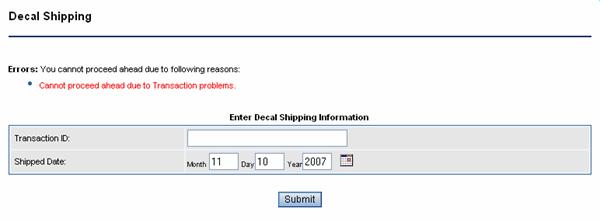
Press the Submit button to continue.
You will be returned to the main Transaction Inquiry home page, with a confirmation message that the decal shipment has been processed.
Continue with the next shipment.