|
Enter Warrant or Check information Label Description |
||
|
Payable / Receivable |
Radio Button The radio button should be pre-selected as Receivable. |
|
|
Check # |
Data Record the check or warrant number in this field |
|
|
Check Amount |
Data Record the check or warrant amount in this field. |
|
|
Deposit Date: |
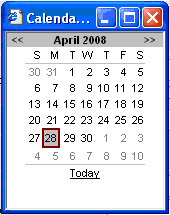
Calendar Enter the date into the date fields. This can be typed in manually. Or, press the calendar icon |
|
|
Edit |
Button Press Edit to go back a page and allow the data to be edited.. |
|
|
Back |
Button Press Back to return to the data entry page. |
|
|
Save and Exit |
Button Press Save and Exit to come back to this transmittal later, as needed.. |
|
|
Submit |
Button Press Submit to finalize the transmittal and store it in the database. |
|

Press Edit to go back to the previous page and adjust the numbers.
Press Save and Exit to return to this transmittal at another time.
Press Submit to enter this transmittal into the system.